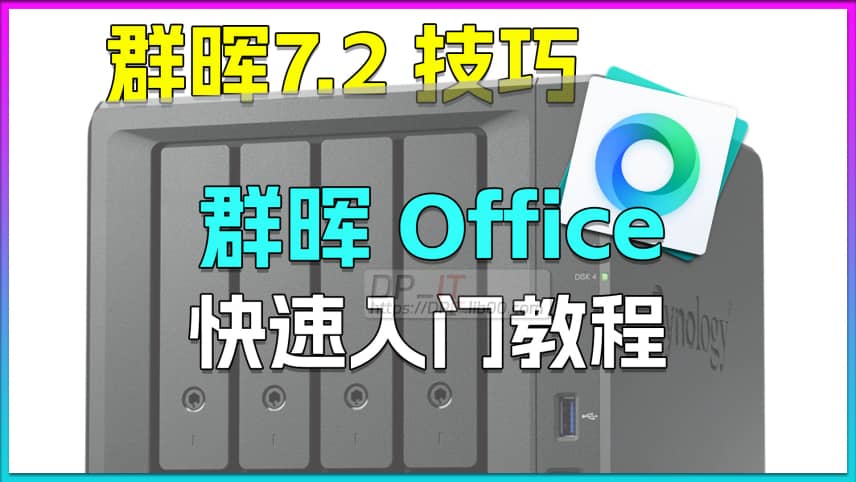
Synology Office Quick Start Guide: Team Word Collaboration Tutorial
Summary Content
# Synology Office Quick Start Guide: Team Word Collaboration Tutorial
## Overview: What is Synology Office?
Synology Office is a powerful private cloud office collaboration suite integrated into your NAS system. It allows you and your team members to **remotely and collaboratively edit Word documents, Excel spreadsheets, and PowerPoint presentations in real-time**, much like Google Docs or Microsoft 365. This video provides a comprehensive guide on how to leverage this free tool to build a secure and controllable collaborative environment for your team.
**Note:** For remote access, ensure you have configured a public IP and DDNS (Dynamic DNS) for your NAS.
---
## 🚀 Quick Start Guide
1. **Installation & Setup**
* Open **Package Center**, search for, and install `Synology Office`.
* Launch `Synology Drive` and navigate to **Team Folder** in the left-hand menu.
* Select a shared folder on your NAS to store your Office files and click **Enable**. This folder will become the central hub for your team's collaboration.
2. **Core Collaboration Features**
* **Real-time Multi-user Editing**: Multiple users can open and edit the same document simultaneously. You can see each other's cursors and edits in real-time, with clear indicators of who is typing.
* **Version History**: Every manual save creates a historical version. You can view, restore, or make a copy of any previous version from the **Version History**, effectively preventing accidental data loss.
* **Comments & @Mentions**: Select any text, right-click, and choose **Comment** to leave feedback. Use the `@` symbol to mention specific team members, who will then receive a notification, enabling efficient communication and task assignment.
---
## 🔐 Flexible Permissions & Security Management
Synology Office offers a multi-layered permission system to cater to various scenarios:
* **Base Permissions**: Permissions are inherited from the Synology DSM file system. Members with access to the same Team Folder can see all files within it by default.
* **Invite Collaborators**: For users who don't have access to the Team Folder, you can **invite** them to collaborate on a specific file with **edit** or **read-only** permissions.
* **File Encryption**: This is the key to granular permission control! You can create new encrypted documents or convert existing ones. Only users who know the password can open and edit the file, perfectly isolating sensitive documents within a shared folder.
* **Public Sharing Links**: Need to collaborate with external parties? Create a public link via the **Share** function. You can set permissions to **View only, Comment, or Edit**, and even protect the link with a password and an expiration date. This makes collaborating with temporary partners or clients incredibly simple, as they don't need a NAS account to participate.
---
## 🛠️ Practical Tools & Exporting
* **Add Watermarks**: From the **Insert** menu, you can easily add text or image watermarks to your documents to protect your intellectual property.
* **Format Compatibility**: Once you've finished editing, you can download the file in **Microsoft Office formats (e.g., .docx)** or as a **PDF**, ensuring compatibility for use and distribution on other platforms.
---
## Conclusion
Synology Office is an excellent lightweight collaboration solution for **small teams and personal studios**. It cleverly uses the **File Encryption** feature to compensate for the lack of granular file-level permissions, and when combined with its flexible invitation and public sharing mechanisms, it can cover over 95% of everyday collaboration needs. If you own a Synology NAS, this is a treasure trove of functionality worth exploring.
Related Contents
Synology DSM Tip: Easily Chang...
Duration: 00:00 | DPView HDD SMART Info on Synolog...
Duration: 12:19 | DPCheck Real CPU Temperature via...
Duration: 08:06 | DPSynology 7.2 Jellyfin Upgrade ...
Duration: 13:06 | DPDocker Jellyfin Free SSL Certi...
Duration: 14:42 | DPDocker Nginx Free SSL Certific...
Duration: 16:17 | DPSynology NAS Quick DSM SSL Cer...
Duration: 10:50 | DPSynology DSM Built-in Reverse ...
Duration: 03:51 | DPEdit Files in Synology DSM Web...
Duration: 01:43 | DPFree SSL Certificate for Synol...
Duration: 08:52 | DPFree SSL Docker acme.sh: Wildc...
Duration: 11:10 | DP2025 Home Network Upgrade Plan
Duration: 06:25 | DPRecommended
Edit Files in Synology DSM Web...
01:43 | 93How to use the Text Editor tool in Synology DSM sy...
Antigravity Perfect Dark Theme...
00:00 | 90Struggling with invisible table text in Google's A...
Quark Drive Cannot Share .tar/...
02:00 | 76On December 13, 2024, users reported that Docker i...
Sunshine+Moonlight+Win10 Remot...
05:10 | 329How to achieve remote self-service shutdown (Win10...