 184
184
Google Expands Gemini 4 Argon Quota: Antigravity IDE & Token Breakdown
This video provides an in-depth analysis of Google's latest quota adjustments for the Gemini 4 Argon model within the Antigravity IDE. Creator DP compares the old and new quotas using test data, calculating the exact cost-to-token ratio for clearer understanding. Furthermore, the video discusses usage limits for non-paying Pro users and maps out accessibility across different platforms like Vertex and AI Studio. Discover which subscription offers the best value and whether upgrading is worth your investment!
 392
392
Google Gemini 4 Argon Full Review: Availability, Quotas, and Performance Analysis
How good is Google's new flagship AI model, Gemini 4 Argon? This video provides a comprehensive overview of its available channels, strict AI quota limits, and real user feedback. We dive deep into its core strengths in text writing and frontend UI development, while objectively pointing out shortcomings in engineering rigor and response times. Is Google's pricey AI subscription worth it? Discover everything you need to know about Gemini 4 Argon in this essential guide.
 356
356
How to Balance Generation Speed and Quality in the AI Era? A Practical Methodology to Say Goodbye to Spaghetti Code
The AI era brings 10x generation speed, but it also brings uncontrollable maintenance costs and 'spaghetti code.' In this video, veteran developer DP shares valuable experience on balancing AI generation speed and output quality in daily coding and text tasks. By introducing the '5 Phases + Dual Defense' and 'Prerequisite Constraints' methodologies, he teaches you how to control AI output from the source and reject inefficient maintenance. Master the 80/20 rule, define rules and review workflows, and become an irreplaceable professional who truly leverages AI.
 649
649
Deep Dive: Analyzing OpenAI's Account Downgrade & Limit Reduction Risk Control Mechanisms and Recovery Guide
This video provides an in-depth analysis of OpenAI's escalating risk control policies over the past five weeks, focusing on the "intelligence downgrade" and "limit reduction" experienced by ChatGPT subscribers. It explains that while the crackdown targets API resellers and model distillation users, many regular users are caught in the crossfire due to the "Channel Ecosystem Fingerprint" and "Neighbor Theory." Additionally, it offers potential account recovery methods and objectively discusses OpenAI's computing power constraints and competitive pressures.
 1,508
1,508
Google AI IDE Antigravity Launches Opus 5.5 Sonnet 5.5: Quota Analysis & Gemini 4 Argon Outlook
Tech creator DP breaks down the recent launch of the Claude 5.5 series (Opus 5.5 and Sonnet 5.5) on Google AI IDE Antigravity. The video provides a detailed quota comparison across subscription tiers, discusses the new paywall restrictions for third-party models, and looks ahead to the highly anticipated Gemini 4 Argon release.
 799
799
OpenAI Slashes ChatGPT Subscription Quotas! Can GPT-6.1 Sol Save the Day? Deep Dive & Strategies
OpenAI has announced a drastic reduction in ChatGPT subscription API quotas, slicing the $200 tier's 20x multiplier down to 10x! In this tech deep-dive, we unpack the official announcements, expose the hidden logic behind 'double cache pricing,' and analyze the newly introduced half-price compensation model: GPT-6.1 Sol. As Anthropic turns up the competitive heat, what is the business strategy behind OpenAI's cost-cutting moves? Discover essential strategies for heavy AI users today!
 700
700
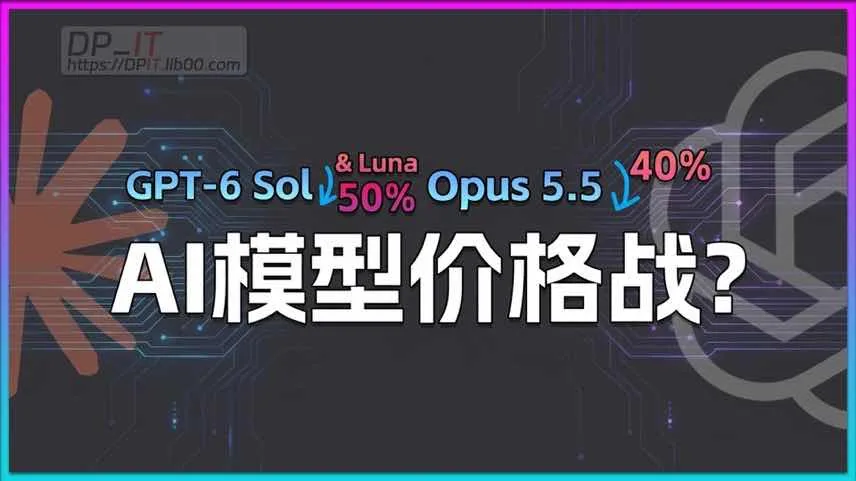
AI Model Price War Ignited: Huge Price Drops on GPT-6 and Opus 5.5, Tokens Enter the Cabbage Price Era
This video deeply analyzes the AI model price war ignited by OpenAI and Anthropic. With the sudden releases of GPT-6 Sol/Luna and Opus 5.5 on Sept 23, API token costs plummeted by 40%-50%, entering a "cabbage price" era. The creator compares the latest pricing strategies of top-tier models and explores the massive survival pressure on competitors like Grok, Gemini, and open-source models. The video also provides highly practical strategies for users to optimize their API usage and subscriptions, and re-evaluates the core value of local AI deployment in an era of ultra-cheap cloud APIs.
 1,040
1,040
Fix Google Services Not Working: How to Check and Change Your Google Account Region
Are you facing region restrictions affecting your access to certain Google products or AI tools? In this tutorial, DP offers the ultimate solution. Learn how to easily access essential links via a dedicated directory site to check your current Google account region. Furthermore, get a step-by-step guide on submitting a region change request to fix abnormal account locations and regain full access. Say goodbye to geo-blocks in just a few simple steps!
 900
05:39
900
05:39
Deep Dive: Is Gemini 4 Pro Launching Soon? Rumors, Leaks, and Analysis
Rumors about the upcoming launch of Google's Gemini 4 and 4 Pro have been flooding the internet. Tech creator DP gathers and analyzes public leaks, dissecting internal screenshots and model comparisons. Why has Gemini 3.8 Flash slowed down recently? Could it be a traffic surge migrating from a 'downgraded' GPT-6 Astra? We also dive into the innovation bottlenecks facing Big Tech giants. Stay tuned for the ultimate unpacking of next-gen AI frameworks!
 2,482
09:52
2,482
09:52
Massive Downgrades & Quota Cuts on GPT-6 Astra? In-depth Analysis & Avoidance Guide
Recently, GPT-6 Astra experienced massive quota cuts and capability downgrades for 20X Pro accounts. In this video, tech host DP analyzes user reports and test data, revealing the computing power shortage causing strict official risk controls. Learn how to verify model degradation using the Pelican Test, avoid common usage pitfalls, and apply account appeal strategies. A must-watch guide to keeping your AI productivity stable during new model releases.
 1,286
10:25
1,286
10:25
In-Depth Sum + Test of Gemini 3.8 Flash: Are LLMs Teaching to the Test? Real-World Coding Assessment
This video summarizes the latest updates on the newly launched Gemini 3.8 Flash and features real-world scenario tests. From benchmark analysis and UI tests to a medium-complexity Vue.js project upgrade, we explore the model's authentic coding and design capabilities. The creator also shares deep insights on AI bottlenecks and model degradation.
 1,296
08:26
1,296
08:26
A Guide to Operating‑System Selection for Programming and Development in the AI Era. Windows? Mac? Linux?
In the rapid evolution of the AI era, how should programmers choose their operating system? Windows, Linux, or MacOS? This video deeply analyzes the two main types of AI developers. For those using AI-assisted programming tools like Cursor and Claude Code, it explains why MacOS is considered the 'golden balance' today. It compares the pros and cons of the top three OSs and offers practical, low-cost MacOS trial setups (starting at 16GB RAM) to significantly boost your efficiency in AI app development and daily workflows.