The Ultimate Guide to the Starsector Mod Database (SSDB) | Easy Mod Downloads & Management
Support Content
## StarSector Database website:
> https://ssdb.lib00.com
Summary Content
# The Ultimate Guide to the Starsector Mod Database (SSDB) | Easy Mod Downloads & Management
## Overview
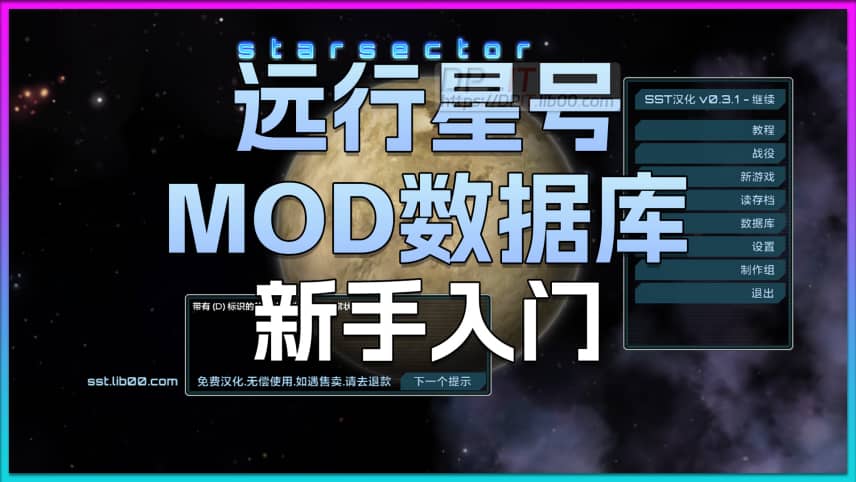
Welcome to the official user guide for the **SSDB** (Starsector Mod Database)! This video is personally recorded by the developer, **DP**, to help both new and veteran players overcome the challenges of finding, downloading, and managing mods for the game *Starsector*. SSDB's goal is to create a centralized, user-friendly platform that lowers the barrier to entry for Starsector's rich modding ecosystem and contributes to the community.
---
## 🔍 How to Find Mods Efficiently
The video begins by introducing the site's core feature: the mod search system. You can quickly and accurately find the mods you want in several ways:
* **Keyword Search**: Enter the mod's name, abbreviation (e.g., `SST`), or a functional keyword in the top-left search box for an automatic fuzzy search.
* **Category Filtering**: Quickly narrow your search by clicking on categories like `Game Core`, `Core Libs`, `Faction Packs`, etc.
* **Tag Filtering**: Use tags like `Newbie Friendly` or `Translated` to find collections of mods that meet specific criteria.
* **Game Version Filtering**: One of the most crucial features! Select your current game version (e.g., `0.97a`) to ensure the mods you download are compatible.
* **Sorting Options**: Sort results by `Recommended`, `Last Updated`, `Downloads`, etc., to discover popular or new mods.
---
## 📄 Deep Dive into the Mod Detail Page
Clicking on any mod takes you to a feature-rich detail page, divided into two main columns:
* **Left Section**:
* **Description**: An overview of the mod's main content and features.
* **Gallery & Comments**: Image showcases and player discussion areas, which will be enabled in the future.
* **Right Section**:
* **Core Information**: Includes the mod's `ID`, author, translator, official links, and links to English/Chinese forums, allowing you to trace its origins and get firsthand information.
* **Dependencies**: Clearly lists all **prerequisite mods** required for the mod to run, with direct links to their pages for a one-stop solution.
* **Download & Actions**: Provides a quick download link for the latest version, as well as buttons to favorite, rate, and share.
---
## 💡 The Ultimate Guide to Downloading the Right Version
This is the core of the tutorial. The developer uses three practical examples to explain how to download the correct mod file based on your game version, language, and operating system:
1. **Case 1: Standard Mod Download (e.g., \"Nexerelin\")**
* In the \"Version History\" section, first filter by **Language** (`cn`/`en`) and **Game Version** (`0.97a`).
* Take note of the mod's **internal version number** displayed in the results (e.g., `0.11.3c`).
* Go to the download drive and find the file that exactly matches this internal version number and language suffix (e.g., `0.11.3c_en.zip`).
2. **Case 2: Differentiating Operating Systems (e.g., Game Installer)**
* For the core game or certain special mods, you need to select the correct OS.
* Filenames will typically include suffixes like `-Win` (Windows), `-Mac` (macOS), or `-Linux`. If you're unsure, choosing the `-Win` or `.exe` file is usually the right choice.
3. **Case 3: Language-Neutral Mods (e.g., \"LazyLib\")**
* Some library mods have no text content and are therefore not language-specific.
* On the download page, you'll notice the filename lacks a `_zh` or `_en` suffix. Simply download this single file; it works for all language versions.
> **Important Tip**: If you can't find the target file on one download drive, it might have been blocked by that service. Please try a different backup download link, as all mirrors are intended to contain the complete set of files.
---
## 🤝 Feedback & Community Involvement
* **Feedback Function**: If you find any broken links, incorrect information, or other issues, you can click the \"Feedback\" button in the bottom-right corner to submit your findings and help us improve the database.
* **Join Us**: You are welcome to join the SSDB community via `Discord` or `QQ Group` to chat with other players or even become a contributor to help build this project together.
We hope this guide helps you make the most of SSDB and enjoy the endless possibilities that *Starsector* has to offer!
Related Contents
Starsector 0.98a Ultimate Begi...
Duration: 00:00 | DPStarsector 0.98 SST Chinese Fi...
Duration: 06:17 | DPStarsector 0.98 Chinese 97%+ v...
Duration: 04:02 | DPStarsector 0.98 Chinese 93%+ v...
Duration: 09:09 | DPStarsector 0.98 Chinese v0.2 O...
Duration: 10:34 | DPStarsector 0.98 Chinese Public...
Duration: 09:45 | DPStarsector 0.98 Chinese Versio...
Duration: 06:40 | DPStarsector 0.98 Complete Weapo...
Duration: 03:05 | DPStarsector 0.98 Complete Ships...
Duration: 02:51 | DPStarsector 0.97 Complete Skill...
Duration: 02:16 | DPStarsector 0.97 Parameter Quic...
Duration: 02:58 | DPStarsector 0.97 Web Hullmods D...
Duration: 02:46 | DPStarsector 0.97 Web Fighters D...
Duration: 01:57 | DPStarsector Web Ships Database ...
Duration: 02:06 | DPStarsector 0.97 Web Weapons Da...
Duration: 02:20 | DPStarsector Web Ships Database ...
Duration: 02:09 | DPStarsector 0.97 Online Ships D...
Duration: 07:06 | DPRecommended
Synology 7.2 Memory Test Guide
10:01 | 104Synology 7.2.x System Beta Testing Guide. If you s...
Starsector 0.97 Web Hullmods D...
02:46 | 74Starsector Online Tools Website (https://sst.lib00...
Fix Synology Drive Not Validat...
08:51 | 188Solution to the "Drive Not Verified" Issue in Syno...
$8 TV Box: Smooth Game Streami...
09:09 | 220Recently purchased a 53 yuan TV box based on a vie...