Antigravity Disable Auto-Updates for a Stable, Bug-Free Experience
Support Content
## Related Resources
> 1.1 Antigravity Historical Version Download URL
```
https://antigravity.google/releases
```
Summary Content
# Antigravity Disable Auto-Updates for a Stable, Bug-Free Experience
## Why You Should Disable Auto-Updates in Antigravity
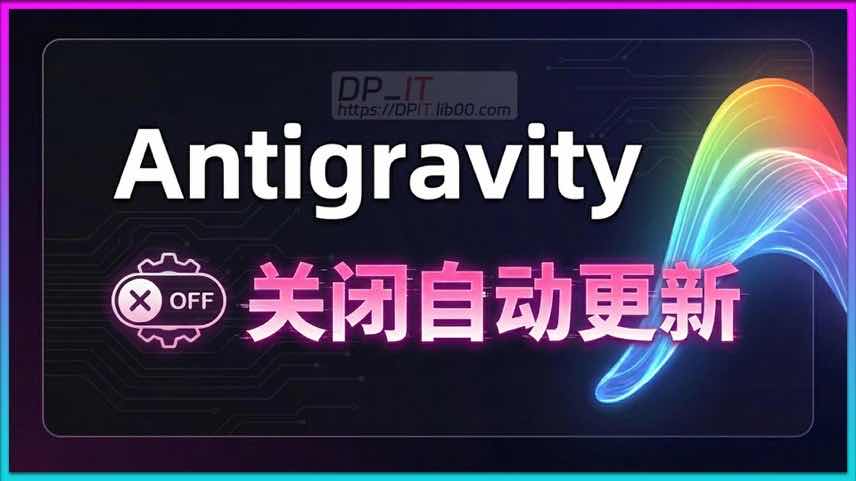
By default, Google's AI IDE **Antigravity** enables automatic updates, ensuring you always have the latest version. However, the newest releases often come with unexpected bugs that can disrupt your workflow and reduce productivity. The recommended best practice is to disable auto-updates, stick with a proven stable version, and perform manual updates periodically.
### Step 1: Check Your Current Version
Before disabling updates, it's a good idea to know which version you are currently using. This is helpful for troubleshooting and rolling back if needed.
- Click the menu in the top-left corner of the application.
- Select **About Antigravity**.
- A window will pop up displaying your current version number (e. g. , `1. 22. 2`) .
### Step 2: How to Disable Auto-Updates
Turning off auto-updates is a straightforward process:
1. Click on the **Menu** in the top-left corner.
2. Go to **Settings**, then select **Editor Settings**.
3. In the search bar of the settings window, type `update`.
4. In the left-hand navigation pane, locate the **Application -> Update** category.
5. Change the update option from the default (`default` or `start`) to either `manual` (only updates when triggered by the user) or `none` (never updates automatically) .
Once completed, Antigravity will no longer update itself automatically upon startup.
---
## Version Management and Update Strategy
After disabling auto-updates, you need a sensible strategy for managing and upgrading your IDE.
### Update Frequency
It is recommended to check for new versions and perform a manual update every **40-60 days**. Constantly chasing the latest version is often unnecessary; stability should be the priority.
### How to Choose and Download Stable Versions
When you need to update or roll back to a previous version, you can visit the official Antigravity releases page:
- **Official URL**: `antigravity. google/releases`
This page provides download links for all historical versions.
**Version Selection Advice**:
1. **Try the Latest First**: Always download and test the newest version to see if it works for you.
2. **Roll Back if Necessary**: If the latest version has critical bugs (like the infinite Gemini model retry issue in version `1. 23. 2` mentioned in the video) , roll back to the previous stable version (e. g. , `1. 22. 2`) .
3. **Seek Help**: If problems persist even after rolling back one or two versions, the issue might be related to your local environment rather than the application itself. In this case, it's best to seek help from the community or check relevant forums.
---
## Conclusion
By disabling **Antigravity's** auto-update feature and adopting a manual, strategic approach to version management, you can effectively avoid disruptions from new bugs, ensuring a consistent and highly efficient development process.
Related Contents
Antigravity Gemini 模型无限重试解决方案
Duration: 00:00 | DPUnlocking Your 'Jarvis' Moment...
Duration: 00:00 | DPCodex Skill Beginner's Guide: ...
Duration: 00:00 | DPThe Ultimate Codex AI Cache Cl...
Duration: 00:00 | DPMajor Codex Subscription Shake...
Duration: 00:00 | DPOpenAI's Shocking Offer: Get $...
Duration: 00:00 | DPFree Online Text Comparison To...
Duration: 00:00 | DPThe Ultimate Guide to Managing...
Duration: 00:00 | DPCodex Pro Tip: Instantly Switc...
Duration: 00:00 | DPThe Ultimate Beginner's Guide ...
Duration: 00:00 | DPAntigravity Quota Slashed: 150...
Duration: 00:00 | DPThe AI Open-Source LLM 'Closed...
Duration: 00:00 | DPAI Beginner's Guide: How to Se...
Duration: 00:00 | DPMajor News: Google Gemini 3.1 ...
Duration: 00:00 | DPOpenAI's Surprise Move? Free C...
Duration: 00:00 | DPMajor Change to GitHub Copilot...
Duration: 00:00 | DPAntigravity Pro Plan Reversal:...
Duration: 00:00 | DPAntigravity Pro Plan Quotas Sl...
Duration: 00:00 | DPOpenAI Shakes Up Codex: Free A...
Duration: 00:00 | DPGoogle Antigravity's March 202...
Duration: 00:00 | DPGoogle Antigravity Account Ban...
Duration: 00:00 | DPAntigravity Mass Unban: Crisis...
Duration: 00:00 | DPIs the Antigravity Pro Quota I...
Duration: 00:00 | DPGoogle AI IDE Antigravity: Dee...
Duration: 00:00 | DPRecommended
iKuai OS VLAN Beginner's Tutor...
09:18 | 337Welcome to the iKuai beginner tutorial. This video...
Claude Code Usage Statistics: ...
03:50 | 457How to check Claude Code's usage statistics over a...
Split Fiction LAN Streaming Li...
06:52 | 171Gemini Twin in-game footage, one video shows you h...
Synology 7.2 Boot USB Creation...
04:27 | 355Synology 7.2 Bootable USB Drive Creation Guide - C...